Pocket Option Demo: The Step-by-Step Setup, Execution Guide and Transition Framework
To master the pocket option demo, define your goals, follow the setup flow, practice execution, compare account limits, and validate your readiness for live trading.

A pocket option demo does not simulate the psychological pressure of risking real capital, regardless of how accurate the price action appears. The immediate distinction lies in the gap between virtual profit and funded equity, where the absence of financial loss often leads to dangerous over-leveraging. You must audit the platform mechanics and execution speed in a risk-free environment before depositing a single dollar of real capital.
Define Your Learning Objectives Before Opening the Account
Using a virtual trading account without a predefined plan is a recipe for failure. Many traders fall into the trap of virtual confidence, where they execute aggressive trades they would never attempt with real money, leading to a distorted sense of their own skill. The goal of a demo is not to see how high a virtual balance can go, but to verify if a specific edge is repeatable.
Establish clear Key Performance Indicators (KPIs) for your practice phase. Instead of focusing on total profit, track your win rate over a sample of 50 to 100 trades and your maximum drawdown. If your strategy relies on high-frequency trades, use the demo to determine if the platform latency affects your entries. Setting these benchmarks ensures that your time spent in the demo environment serves a professional purpose.
The Correct Order to Set Up Your Pocket Option Demo
Accessing the platform requires a streamlined registration process to ensure you spend more time analyzing charts than navigating menus. The proprietary platform is designed for rapid onboarding, allowing users to enter the market simulation in a couple of minutes.
Registration and Initial Access
To begin trading strategy testing, you must first create a basic profile. The process involves providing an email address and creating a secure password. Once the account is verified, you gain access to the dashboard where you can choose between a live environment and the practice mode. The demo account is typically credited with $50,000 in virtual funds, providing ample room to test various position sizes.
- Visit the official website and select the sign-up option.
- Enter your email and create a password to register.
- Log in to the dashboard and locate the account type selector.
- Switch the account mode from “Real” to “Demo” to activate the virtual balance.
- Verify that the account balance reflects the provided virtual funds before placing a trade.
Navigating the Dashboard and Demo Toggle
The interface is built for speed, featuring an asset selection menu and a real-time price display. You can switch between the demo and live accounts via a simple toggle in the account menu, allowing for quick comparisons. Navigating the dashboard reveals the available asset classes, including binary options and OTC pairs, as well as the integration for MT5 for those who prefer a more traditional charting environment.
Mastering the Trading Workflow Inside the Pocket Option Demo
Executing a trade requires a precise sequence of actions to avoid errors that could be costly in a live environment. Through binary options practice, you can refine the mechanical process of entering and exiting positions without financial risk.
Asset Selection and Payout Analysis
Start by using the asset selection menu to pick a pair. Each asset displays a payout rate, which can reach 218% or more depending on the market conditions. For example, in a $100 trade scenario with a 92% payout, a successful forecast results in a $92 profit. It is a mistake to ignore these fluctuations, as payout volatility directly impacts your long-term expectancy.
Setting Trade Amounts and Expiration Times
Once the asset is selected, you must define the trade amount and the expiration time. The trade amount is deducted from your virtual balance the moment the trade is opened. Expiration times can range from a few seconds to several hours, though many traders focus on short-term windows like 1 minute. Accuracy in setting these parameters is what separates a disciplined trader from a gambler.
Executing Buy and Sell Decisions
The final step is the price direction forecast. Using trading indicators and signals, you decide whether the asset price will be higher (Buy/Call) or lower (Put) than the current price at the time of expiration. After clicking the execution button, you wait for the result. The platform also supports pending orders and copy trading, which can be tested in the demo to see if they align with your risk tolerance.
Compare Demo Features Against Live Trading Realities
While the demo account mirrors live market conditions, there are subtle differences in how accounts are managed. A critical feature is the demo account reset, which allows you to wipe your virtual balance and start over if you blow the account. This is impossible in live trading, where a loss is permanent.
The following table outlines the technical parity between the two environments:
| Feature | Demo Account | Live Account |
|---|---|---|
| Virtual Funds | $50,000 (Resetable) | User Deposit (Min $5) |
| Market Prices | Real-time | Real-time |
| Execution Speed | High | High (Slippage possible) |
| Payout Rates | Market-based | Market-based |
| Leverage | Up to 1:1000 | Up to 1:1000 |
The primary takeaway is that while the tools and price feeds are identical, the emotional weight of the live account changes your execution. In the demo, you may find yourself taking trades with 10% of your balance, a risk level that would be catastrophic in a live setting.
Safe Transition: From Virtual Practice to Funded Trading
Migrating to a real account requires a structured framework to avoid emotional shock. A successful funded trading transition occurs only after you have achieved your KPIs over a statistically significant sample of trades. If you have consistently grown your virtual balance using a strict risk management plan, you are likely ready to move beyond the simulation.
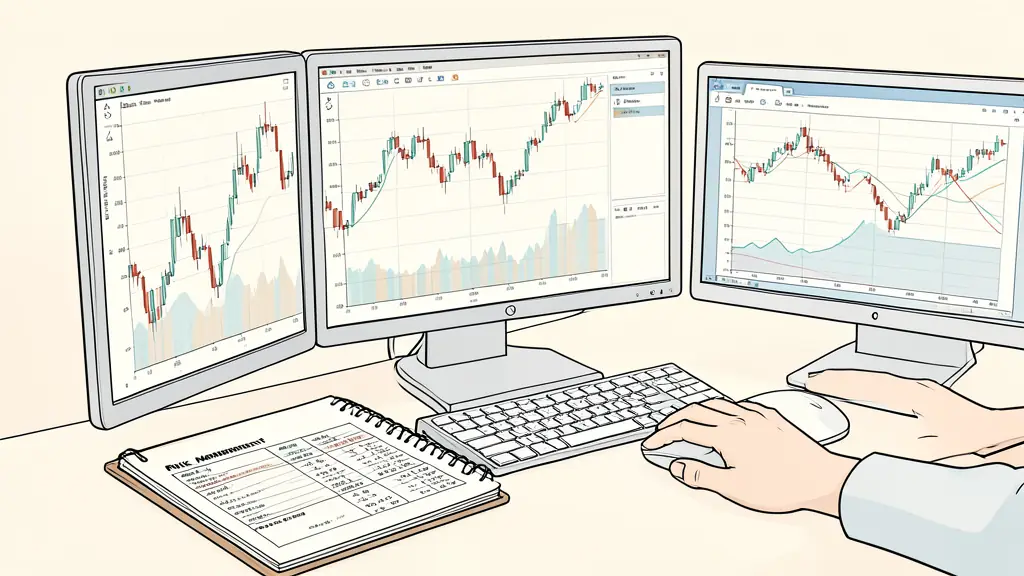
Before depositing, audit your realistic capital requirements for day trading to ensure you are not over-leveraging your personal savings. Start with the minimum deposit, such as $5 or R80 ZAR, to experience the psychological shift of risking actual money. If you find that your performance drops significantly when real money is on the line, return to the demo to practice emotional regulation.
To determine if you are ready for live capital or if you should pivot to a professional prop firm funding program, run this risk-readiness check: evaluate if your win rate is stable, if you can adhere to a maximum trade amount per position, and if you can accept a losing streak without changing your strategy. If you cannot maintain discipline with virtual funds, you will certainly fail with real capital. Compare these results against the strict drawdown limits of prop firms to see which path offers the safest scaling option for your specific skill level.
Risk warning. Trading involves a risk of losing capital. Prop firm challenges are paid and passing them is not guaranteed. This content is for information only and is not investment advice.
Want to go further?
Leave your email and we'll let you know when a new article is out.